Upgrading your Twitch stream or YouTube channel doesn't have to mean guessing which gear works together. We've tested the top tier of content creator equipment to find the absolute best investments for your setup. Here are our comprehensive reviews of the essential gear you need to sound and look like a pro.

1. Shure MV7 USB Podcast Microphone
The Verdict: The ultimate hybrid mic that completely ignores your noisy room.
Key Specifications
- Capsule Type: Dynamic (excellent background noise rejection)
- Outputs: Dual USB & XLR
- Features: Auto-Level mode via ShurePlus MOTIV app, touch mute panel
Who it's best for: Streamers and YouTubers recording in untreated, echoey bedrooms.
Pros
- Incredible background noise rejection
- Future-proof (start with USB, upgrade to XLR later)
- Built-in touch controls for quick muting
Cons
- No boom arm included (must buy separately)
- Pricier than entry-level USB condenser mics
"I previously used a Blue Yeti and it picked up every single time my dog walked through the hallway. The Shure MV7 isolates my voice so perfectly that my Discord buddies asked if I moved into a recording studio. Auto-level mode is a lifesaver."
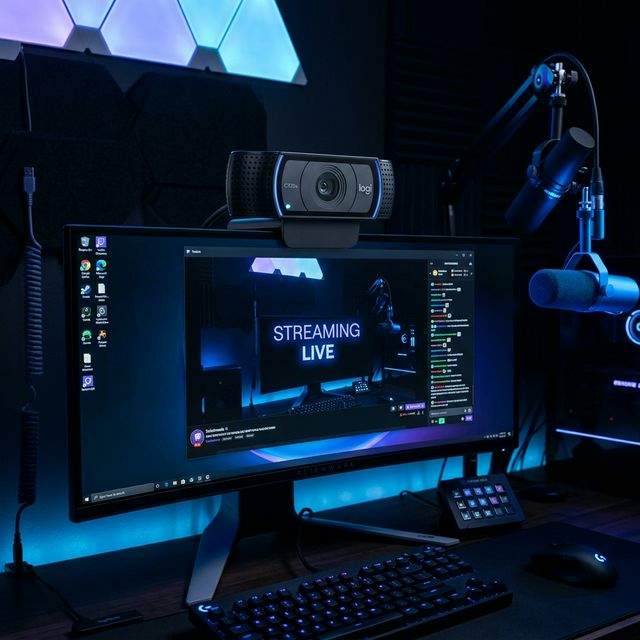
2. Logitech C920x HD Pro Webcam
The Verdict: The undisputed king of budget-friendly video.
Key Specifications
- Resolution: Full HD 1080p / 30fps
- Field of View: 78°
- Features: Automatic light correction, plug-and-play with OBS
Who it's best for: Beginner-to-intermediate streamers who need an immediate upgrade from a terrible laptop camera.
Pros
- Unbeatable price-to-performance ratio
- Flawless plug-and-play with OBS/Discord
- Excellent auto-focus
Cons
- Caps out at 30fps (no 60fps option)
- Built-in mic is poor (always use a separate mic)
"It's the gold standard for a reason. I've used this daily for streaming and Zoom meetings for two years. As long as you have a good ring light or key light, the 1080p picture looks surprisingly close to professional. Just make sure to use a separate microphone."
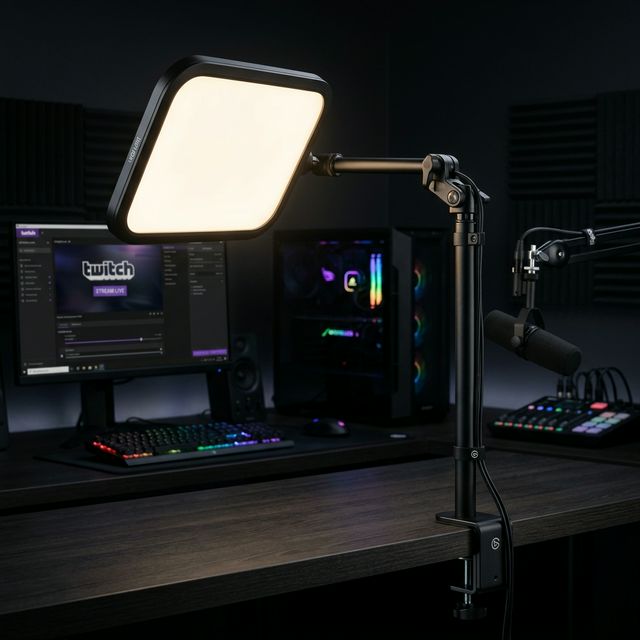
3. Elgato Key Light
The Verdict: Premium, glare-free lighting that makes any camera look 10x better.
Key Specifications
- Output: 2800 lumens
- Diffusion: Opal glass (soft light, no harsh shadows)
- Control: Wi-Fi controlled via PC, phone, or Stream Deck
Who it's best for: Streamers and creators who want professional, flattering studio lighting without taking up floor space.
Pros
- Soft, professional light that doesn't hurt your eyes
- Seamless Stream Deck integration
- Space-saving desk clamp design
Cons
- Expensive for a single light panel
- Requires a Wi-Fi connection to control
"Ditching my bulky ring light for this was my best studio upgrade. The heavy-duty desk clamp means I instantly got my floor space back. Controlling the color temperature directly from my Stream Deck mid-broadcast feels incredibly premium."
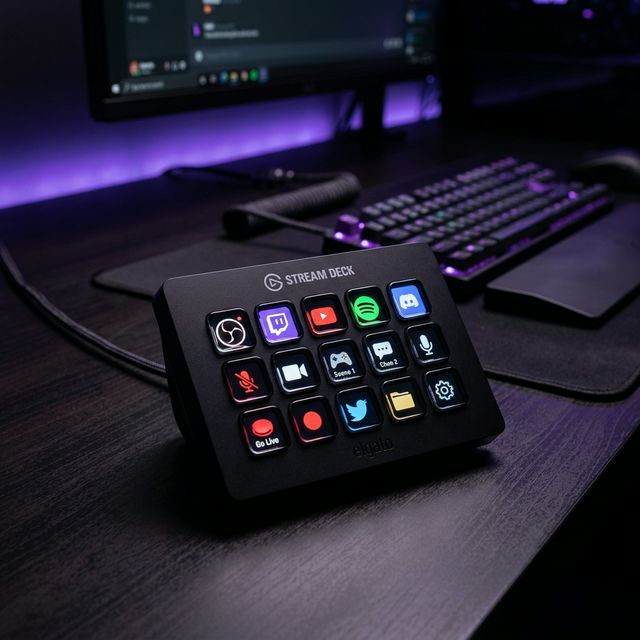
4. Elgato Stream Deck MK.2
The Verdict: The ultimate command center for keeping your eyes on the game.
Key Specifications
- Interface: 15 customizable LCD keys
- Integration: OBS, Streamlabs, Twitch, YouTube, Spotify
- Features: Infinite folder system, interchangeable faceplates
Who it's best for: Active streamers who need to multitask, trigger soundboards, and switch scenes mid-broadcast.
Pros
- Massively simplifies your live workflow
- Integrates with almost every piece of software
- Detachable USB-C cable
Cons
- Overkill for very basic, single-scene streams
- Slight learning curve to set up complex multi-actions
"An absolute necessity if you stream on Twitch. Setting up 'Multi-Actions' allows me to push one button to turn on my studio lights, launch OBS, open Spotify, and send out an automated 'I'm Live' tweet. Build quality is solid and the software is incredibly intuitive."
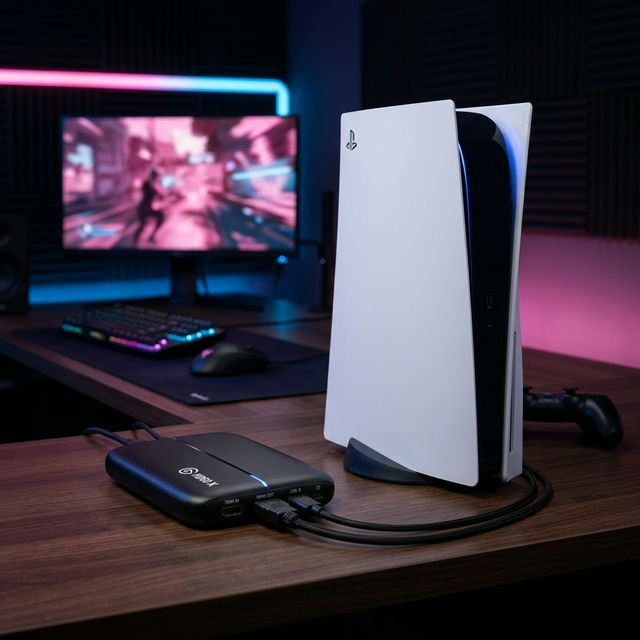
5. Elgato HD60 X Capture Card
The Verdict: The easiest way to get pristine PS5 and Xbox gameplay onto your PC.
Key Specifications
- Passthrough: 4K60 HDR10 + VRR (Variable Refresh Rate)
- Capture Output: 1080p60
- Connection: USB-C plug-and-play
Who it's best for: Console gamers who want to stream to Twitch or YouTube using a PC or Mac.
Pros
- Zero-lag passthrough keeps your gameplay perfectly smooth
- Full VRR support for next-gen consoles
- External USB-C means no messy PCIe installation
Cons
- Cannot capture footage at 4K @ 120fps
- Requires a reasonably powerful PC for encoding
"Zero latency passthrough is 100% as advertised. Works flawlessly with OBS and my PS5. No messy PCIe installation required, just plug in the USB-C to your PC and the HDMI into your monitor. Crucially, it passes through 1440p @ 120Hz so my competitive FPS gameplay isn't bottlenecked."